
# Rendering
# Edit Appearance
The Edit Appearance command has added a Feature level, making it convenient to apply appearance to faces related to features.
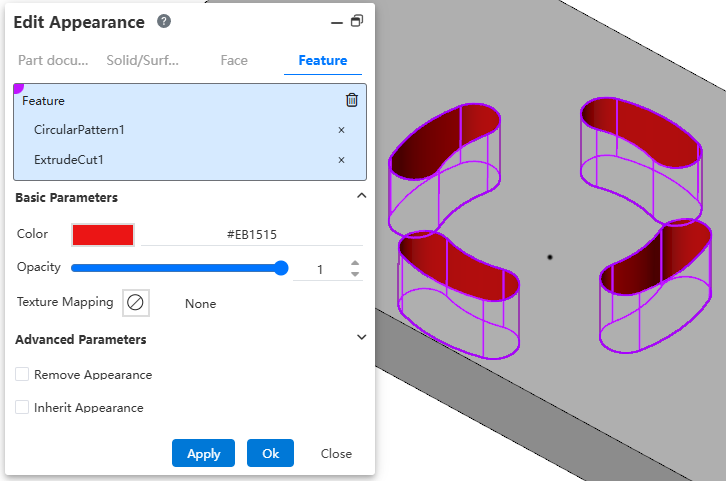
Usage:
Click the "Edit Appearance" command to open the dialog box.
Select the "Feature" tab.
Pick a feature in the viewport or the Feature panel.
Set parameters, click OK to complete the setting.
Note: Appearance priority "Face > Feature > Solid/Surface > Part".