
# Auto Bend Angle
Automatically add bend angles between all adjacent path lines in the path chain.
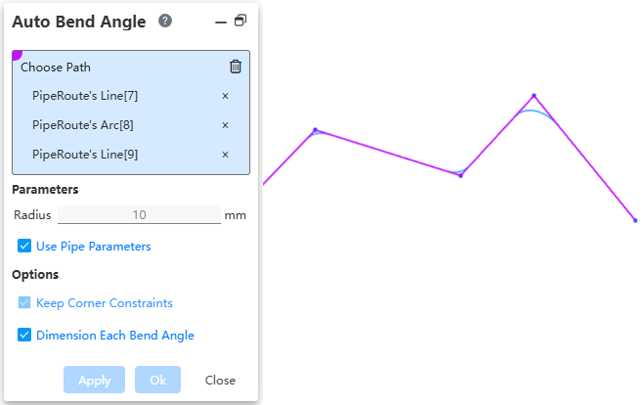
How to use:
Under the condition of activated path, draw multiple consecutive straight lines.
Click on "Auto Bend Angle", pick any path line, and fill the entire path.
After setting the fillet parameter, click OK to automatically generate a fillet at each corner.
Dialog Box Control Description:
Select Path: In the viewport, pick the path line to automatically fill the entire path it belongs to.
Use Pipe Parameters: Check this to make radius size unmodifiable. Default is 10mm. Uncheck this to customize the fillet size.
Maintain Corner Constraint: Keep the fillet tangent to both adjacent edges.
Label Each Fillet Size: When selecting multiple positions to set fillets, check this to label each fillet. Uncheck this to only label one fillet.