
# Text
Used to generate text in the sketch.
# Usage
- Click text
 to pop up the Sketch Text dialog box.
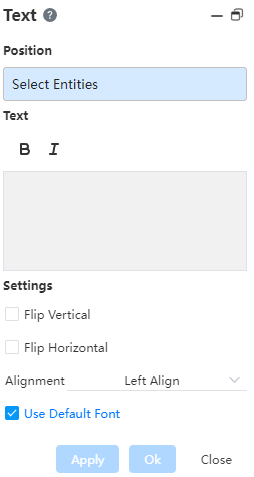
- Select a point or line to position the text.
- Enter the text to be generated in the white dialog box.
- Select the text you want to set bold and italic according to your needs and set them accordingly.
- Change the text orientation by checking "Flip Vertical" and "Flip Horizontal".
- When selecting a line for the text position, you can select the alignment method: "Left, Center, Right, and Justify".
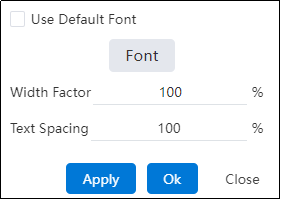
- Uncheck "Use Default Font", the font-related setting items will pop up, select the text to be modified, and set the font.
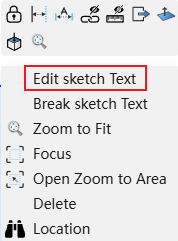
- You can modify the text by right clicking on the drawn text and selecting "Edit sketch Text".
Create features
In a sketch, right-click on the text and select Explode Text. The text is converted into a shape composed of sketch lines. Individual lines can be modified, but the text can no longer be edited.