
# Unfold
Flatten the selected bend of the existing sheet metal part.
Click  the button to bring up the expand dialog box.

Control description:
1.Fixed surface: Select the fixed surface on the sheet metal to be unrolled.
2.Bend to unfold: Select the bend surface to unfold.
3.Collect All bends: After this parameter is selected, all bends of the sheet metal where the fixed surface resides are automatically selected.
Note: The fixed surface and the bend to be developed can be selected from the upper and lower surfaces, but not from the side.
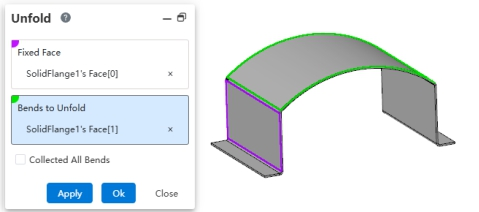
Usage:
- Open the "Unfold" command.
- Pick a planar face of the sheet metal as the fixed face.
- In the "Faces to unfold" selection box, pick the arc sheet metal face(s) to unfold.
- Click OK. The arc sheet metal is flattened.
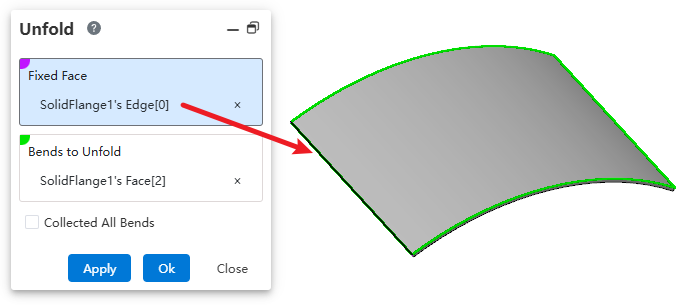
Note: If the sheet metal body contains only one arc face, you can unfold it by selecting a straight edge on the sheet metal as the fixed face.
← Sketch Bend Fold →