
# Drawing
# Center Mark
Enhancement of the Centerline Command Functionality: Expanding the types of objects that can be created using centerlines, now supporting the creation of centerlines via arc slots and sketch elements. Enriching the scenarios for linear and circular centerline annotations, including support for linear and circular annotations of slots and sketch elements.
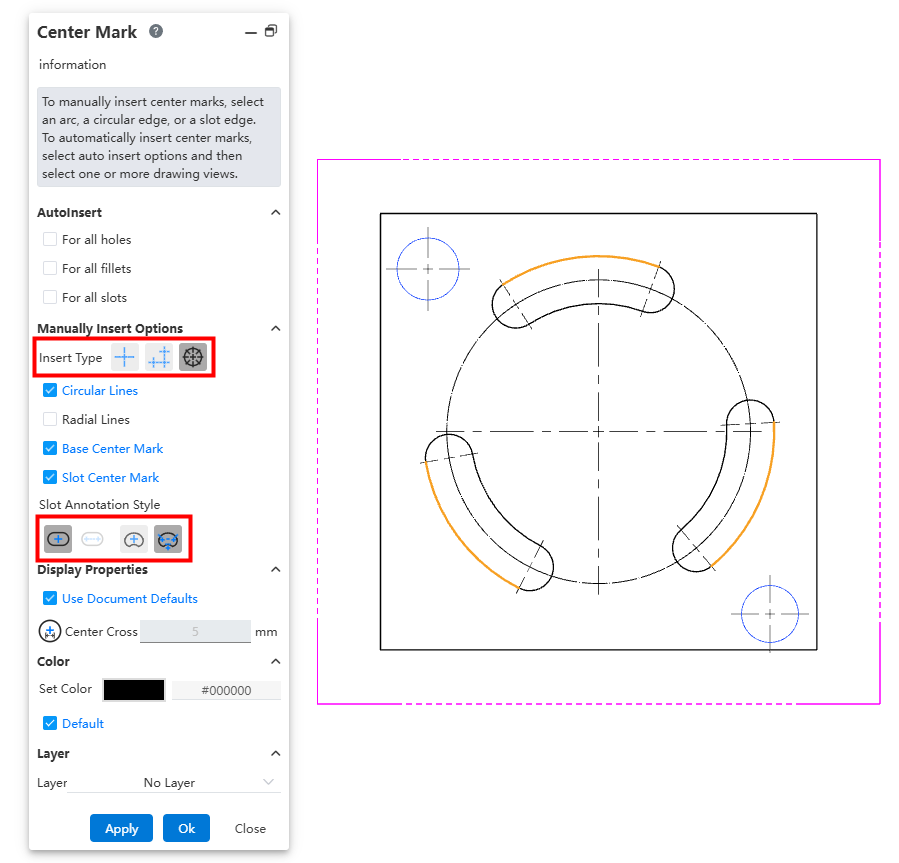
How to use:
Activate the Centerline command.
Select the projection-generated or sketch-generated element to be annotated.
Set the layout and slot annotation style.
Click OK to complete the centerline creation.
Explanations:
Linear and circular centerline annotations do not support mixed selection standards; they only support annotations for a single circle/arc, slot, or arc slot.
# Hole Callout
Hole Callout Command Function Enhancement: Multi-line text positioning adaptation supports different hole callout creation styles under various drawing standards.
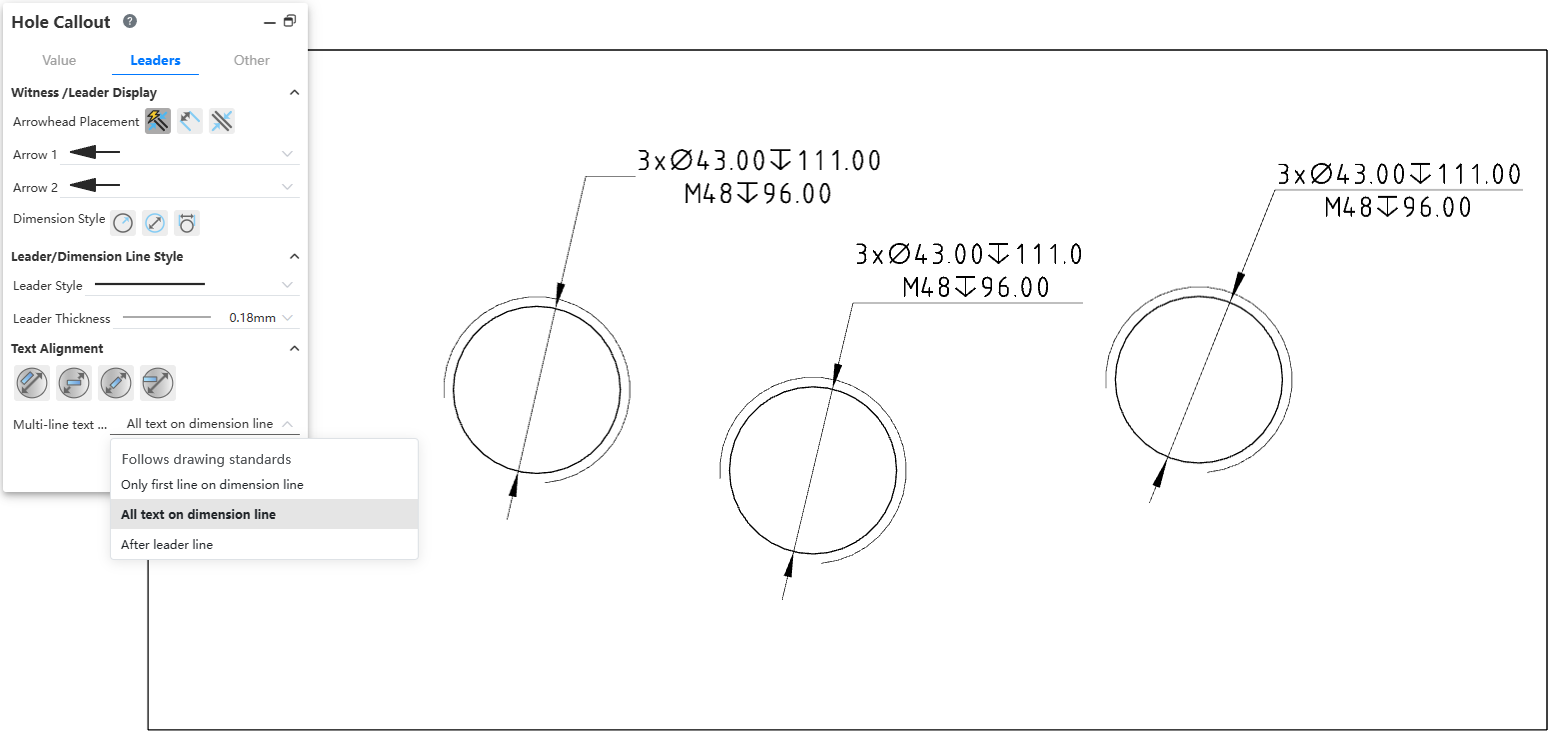
How to use:
In the system settings - Document Properties, set the drawing standard: GB, ISO, or ANSI.
After clicking the Hole Callout command, select the projected outline edge of the hole. The default position of the multiline text for hole callouts created under different standards will vary.
Click the Multiline Text Position dropdown in the Hole Callout panel to select your preferred multiline text position option.
Click OK to complete the hole callout creation.
← Sheet Metal Piping →