
# Export part
Export the parts, File format: IGES(.iges), STEP(.step), NX(.prt), CATIA(.catpart), SolidWorks(.sldprt), ParaSolid(.x_t/.x_b), STL (.stl), OBJ (.obj), IFC(.ifc).
Click  the icon to bring up the drop-down menu, select the options
  in the menu, the pop-up dialog box is as follows:
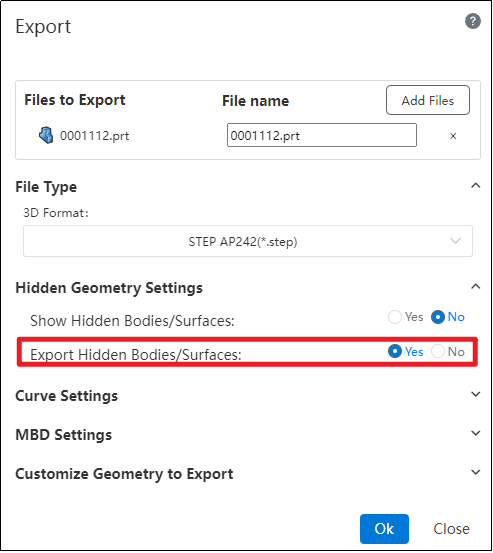
Custom naming of exported documents is supported.
You can choose whether to export the geometry in a hidden/uninstalled state.
In the "Restore Hidden Bodies/Surfaces to Display State" settings under hidden geometry, selecting "Yes" will display the relevant geometry and export it.
When "Restore Hidden Bodies/Surfaces to Display State" is selected as "No," if you check "Yes" for the "Export Hidden Bodies/Surfaces" option, the hidden geometry will be exported.