
# Pipe Route Axis
The pipe route Axis can be used in pipelines to set the path for the path line or define waypoints along the path, and the creation process is similar to that of a reference line.
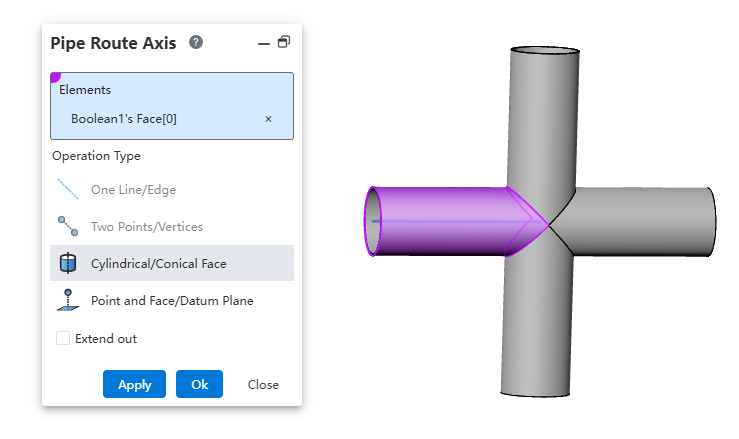
How to use:
Create a part, draw the geometry, and then click "Pipe Route Axis".
Select geometric elements to determine the position.
The default length of the path axis depends on the selected elements. To modify the path axis length, adjust the extension parameters to control the length of the path axis.
Explanations:
A straight line/edge: Create a path axis based on a straight line or edge.
Two points/vertices: Create a path axis based on the connection line between two points.
Cylinder/Solid of revolution: Create a path axis aligned with the axis of a cylinder or solid of revolution.
Point and surface: Create a path axis passing through a point and perpendicular to a surface.