# Application
# Return
Supports setting the response behavior of the Return button within a document. You can choose to return to the Document List in the current tab or open the Document List in a new tab.

Usage:
- Open System Settings, and under "System Options - General", set the behavior of the "Return" button.

a. Document List: Directly returns to the Document List in the current tab.
b. Open Document List (New Tab): Opens the Document List in a new tab while keeping the current tab's content unchanged.
- Enter a document and click the "Return" button. The system will respond according to the configured setting.
# Shortcuts
When multiple documents are opened simultaneously within a single tab, you can use the shortcut key Shift+Tab to switch between documents.
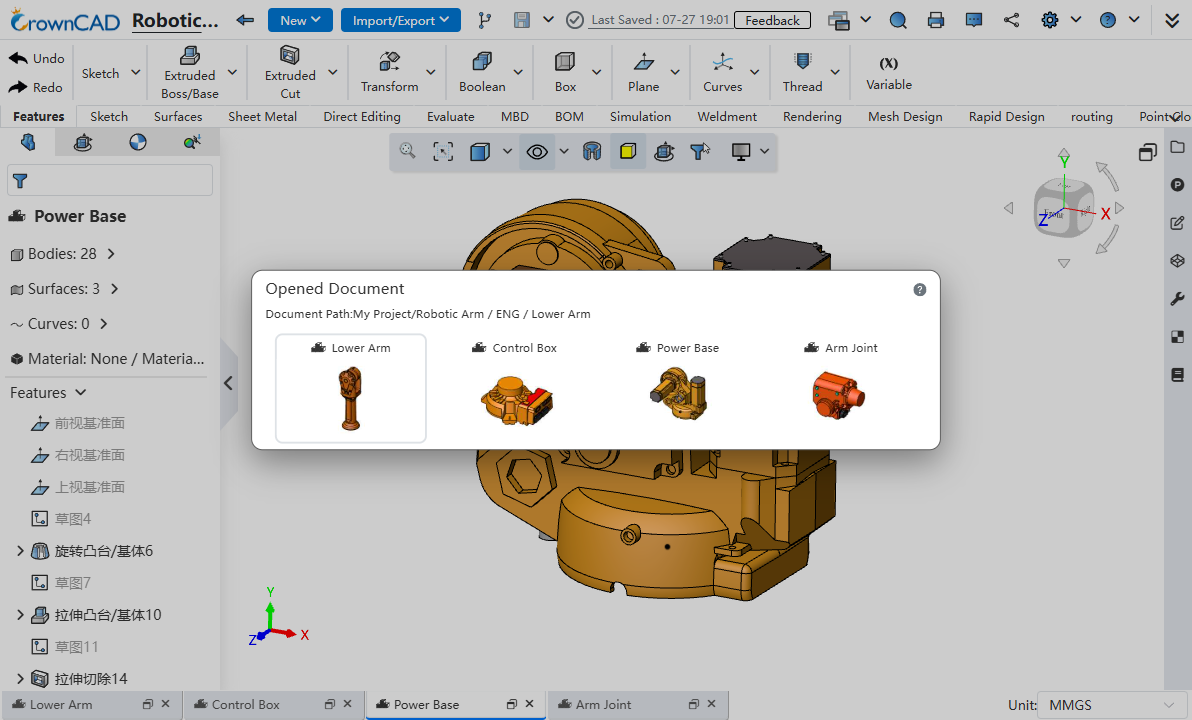
Usage:
- Open multiple documents simultaneously within the same browser tab.
- Hold down the Shift key and keep it pressed.
- Press the Tab key once. A document switching window will appear.
- Continue pressing the Tab key to cycle through the documents in the window.
- When the target document is selected, release the Shift key. The window will close, and the focus will switch to the target document.
Note 1: When the document switching window is displayed, you can also switch documents by clicking a document thumbnail with the mouse.
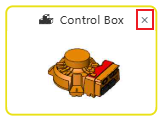
Note 2: When the document switching window is displayed, hovering the mouse over a document thumbnail will show an "x" in the upper-right corner of the thumbnail. Click the "x" to close the corresponding document.