
# Quick Mate
After selecting multiple elements in the viewport, the Quick Mate tool that appears supports more mate types.
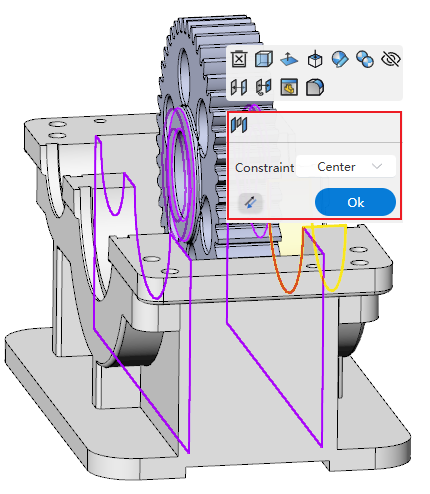
Usage:
Hold the Ctrl key and select multiple elements in the viewport to which you want to add mates.
Release the Ctrl key. The Quick Mate tool appears near the cursor.
Click a mate type in the Quick Mate tool. The configurable parameters for that mate are displayed.
Set the mate parameters.
Click Confirm to complete the mate addition.
Mate types supported by the Quick Mate tool:
Standard Mates: Coincident, Parallel, Tangent, Concentric, Perpendicular, Distance, Angle.
Mechanical Mates: Slot, Cam.
Advanced Mates: Profile Center, Symmetric, Width, Limit Distance, Limit Angle.