
# Circular Pattern
Create a circular pattern feature in an assembly.
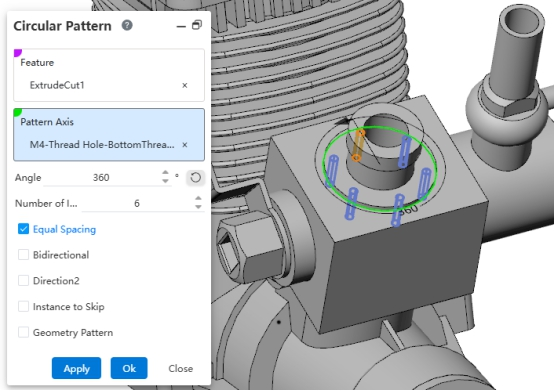
Usage:
- First, ensure that the features to be patterned are assembly features created within the assembly.
- Open the "Circular Pattern" command.
- Pick the assembly features to pattern.
- Set the direction, spacing, and other parameters.
- Click OK to complete the pattern creation.
Note 1: Assembly features are displayed in the Assembly Features panel after creation and do not affect the content of the components themselves.
Note 2: Right-click an assembly feature to perform the following operations: Edit Feature, Suppress, Zoom to Fit, Feature Dependency, Delete, Rename, Invert Selection.
Note 3: For descriptions of the dialog controls of each assembly feature, please refer to the part features.
← Linear Pattern Mate →