
# Linear Pattern
Create a linear pattern feature in an assembly.
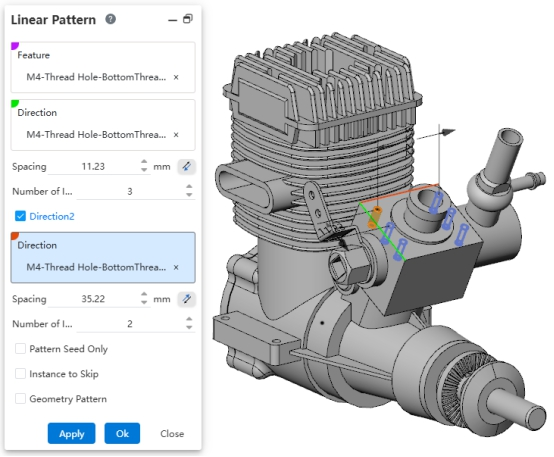
Usage:
- First, ensure that the features to be patterned are assembly features created within the assembly.
- Open the "Linear Pattern" command.
- Pick the assembly features to pattern.
- Set the direction, spacing, and other parameters.
- Click OK to complete the pattern creation.