
# Hole Wizard
Create a hole wizard feature in an assembly.
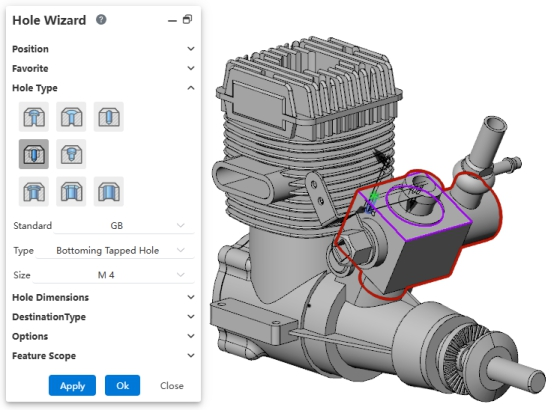
Usage:
- Open the "Hole Wizard" command in the assembly document.
- Set the hole placement position.
- Set the hole type, specifications, and other parameters.
- In the "Feature Scope" section, select the components on which to create the holes.
- Click OK to complete the feature creation.
← Fillet Linear Pattern →