
# Drawings
# Line Type Scaling
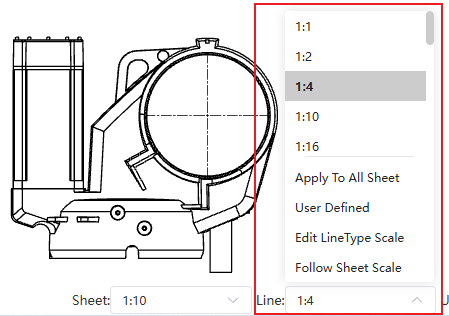
Supports setting the scaling ratio for line types such as dashed lines, affecting the density of the lines.
Usage:
Open the Drawing.
Click the line type dropdown in the bottom right corner.
Select the desired line type scaling ratio from the dropdown list.
Dialog Box Control Descriptions:
Apply to All Sheet: Applies the ratio to all sheets within the current Drawing.
User Defined: Allows customizing ratios not listed.
Edit LineType Scale: Allows editing ratios in the list.
Follow Sheet Scale: The line type scaling ratio is linked to the sheet scale. This option reflects the line type effect in CC 2026 R2 and earlier versions.
# Center Mark
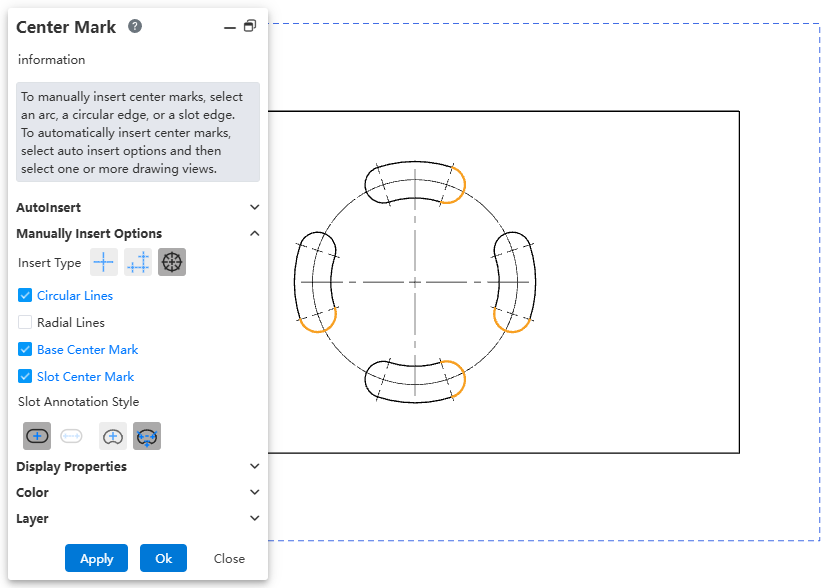
Supports adding various styles of Center Marks to Slots.
Usage:
Click the Center Mark command to open the dialog box.
Use AutoInsert to select Slots, or manually select slot edges in the viewport.
Modify the style of the Center Mark via Insert Type and Slot Annotation Style.
Click OK to complete creation.
# Note
Hovering over a Note displays its associated properties.

Usage:
Use the LinkToAttribute function in the Note command to create a Note with associated properties.
Hover over the created Note in the viewport; the associated properties will be displayed in the bottom right corner.
Note:
When double-clicking to edit the Note, the associated property will be highlighted with a blue background to distinguish it from regular text.
# Dimensions
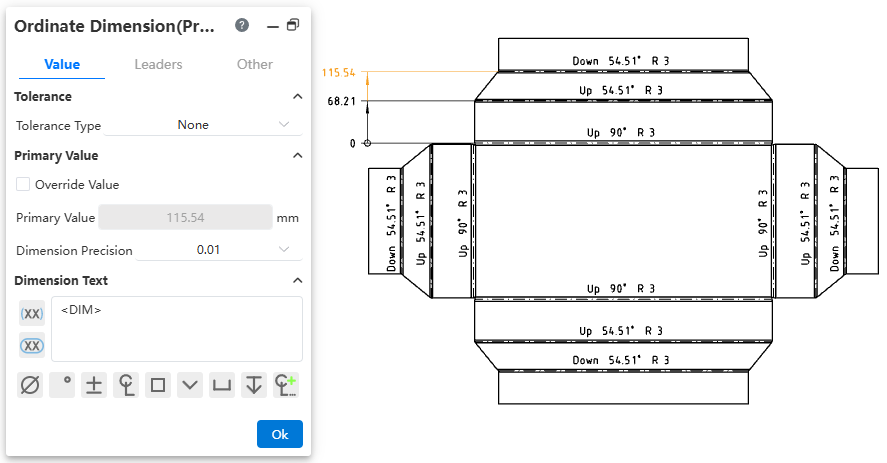
Dimensions support dimensioning bend lines in Sheet Metal Flat Pattern views.
# Ordinate Dimension
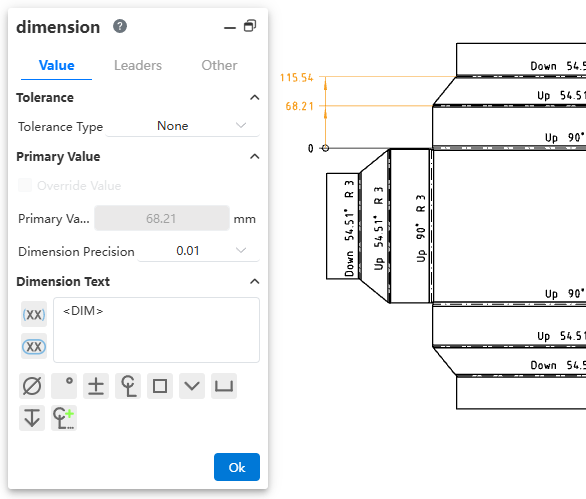
Ordinate Dimensions support batch modification of tolerances, arrows, and other attributes.
Usage:
In the viewport, select multiple dimensions of the Ordinate Dimension via box selection or by holding the Ctrl key.
Modify parameters in the Dimension dialog. The related parameters of the selected dimensions will be updated uniformly.
Click OK to complete the modification.