
# Check Sketch Validity
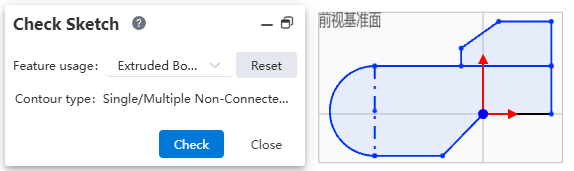
Usage:
Open the Check Sketch command.
In Feature usage, select the type of feature to which this sketch will be applied.
Click "Check". The system automatically checks whether the sketch can be applied to the selected feature.
If the check fails, a prompt message will appear explaining the cause of the error.
Click the OK button in the prompt message. The system automatically opens the "Repair Sketch" command to perform repairs.
Dialog Box Control Descriptions:
Feature usage: Select the type of feature to which this sketch will be applied.
Reset: Click to reset the Feature usage.
Contour type: Displays the contour type corresponding to the feature based on the selected feature.
Check: Click to check whether the sketch can be applied to the selected feature.